{.portrait}
### Dr. Swann Martinez
{.portrait}
### Dr. Rémy Sohier
note:
⏭️
--
## Nos casquettes 🧢

---
---
---
note:
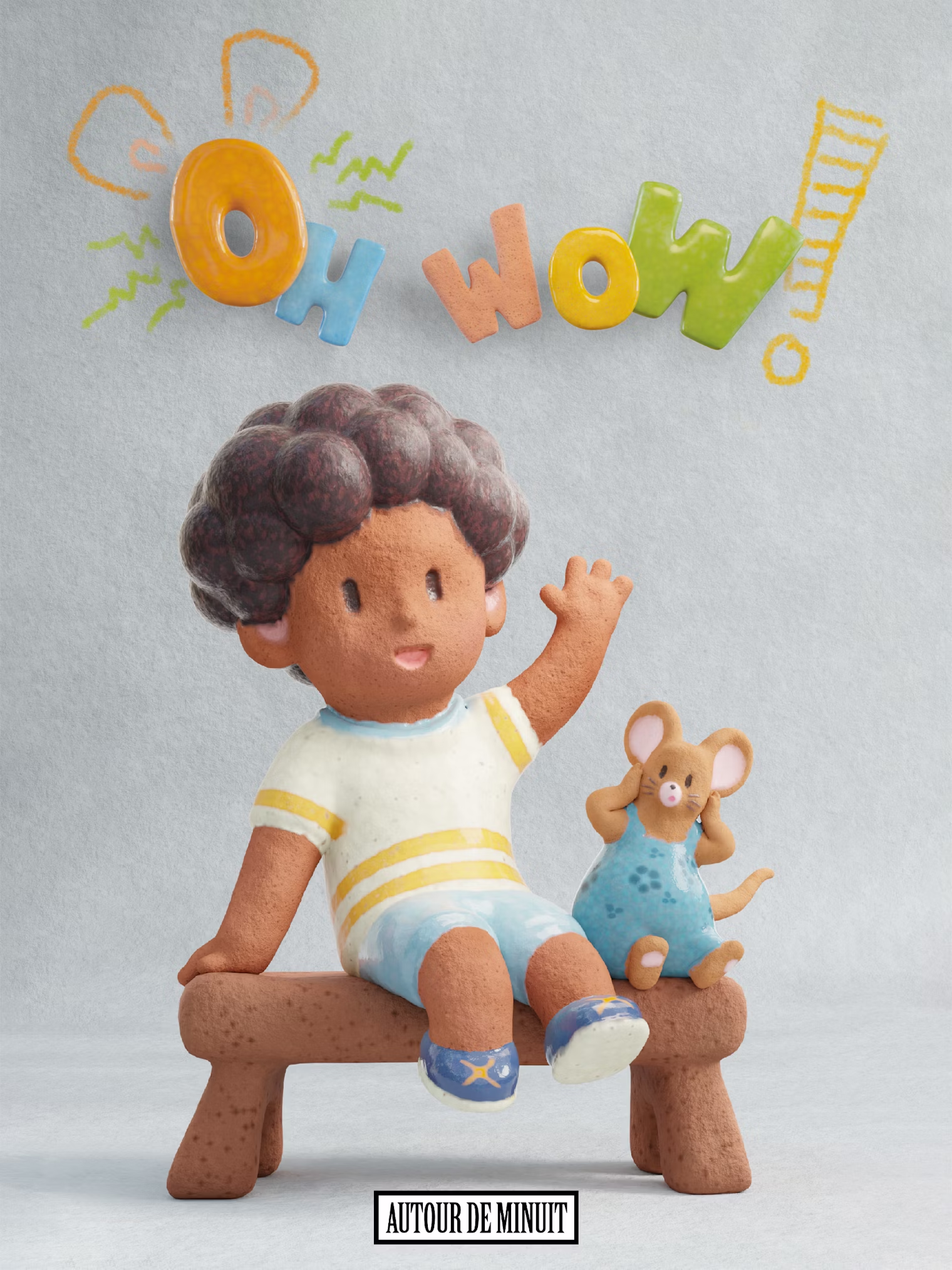
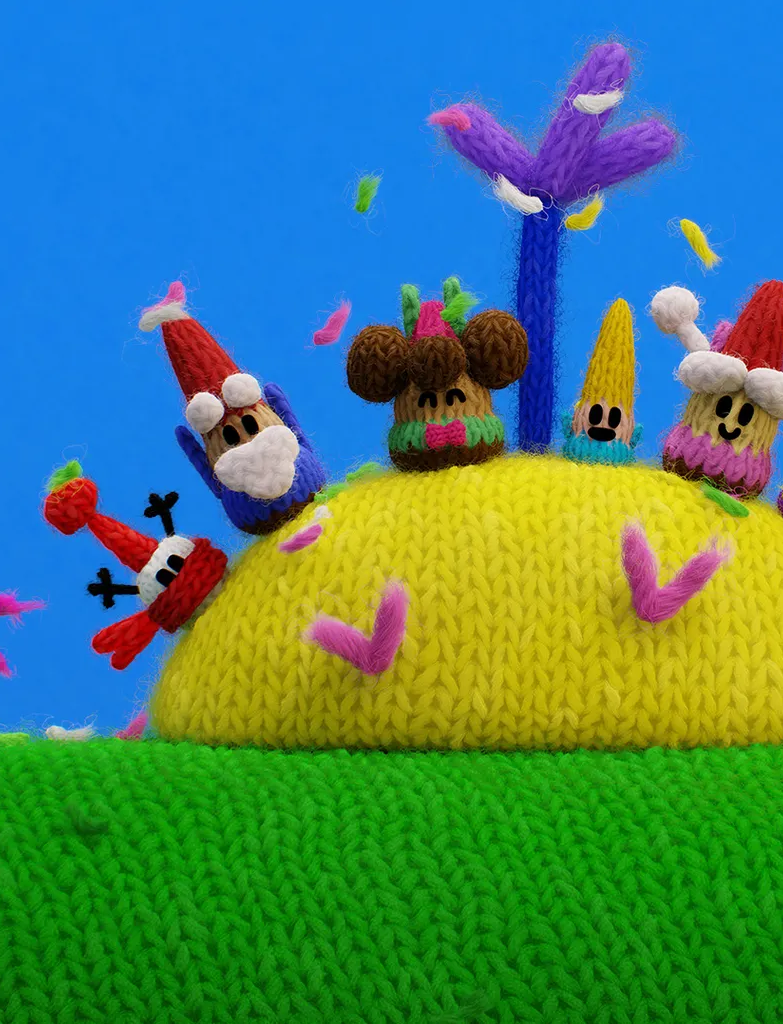
**All three productions** use similar software environments, with some differences.
**To improve clarity**, DCCs beyond the pipeline scope are shown in gray.
On *Where's Chicky* ...
On *OhWow* ...
On *Wooly Wooly* ...
**Storyboard Pro** is used in all three cases for storyboarding during pre-production.
**For post-production**, Nuke and the Adobe suite are also used.
**However**, Blender is the main 3D production tool for all three, and Kitsu is used for production tracking. ⏭️
--
### Simplified workflow Recap'
- Same project format{.fragment data-fragment-index="0" }
- Similar production steps{.fragment data-fragment-index="1" }
- Similar DCC's
[1]{.fragment data-fragment-index="2" }
**But what about the dataflow ?**
note:
**To summarize** the details we just covered,
we have three projects with similar formats, as well as similar production steps and DCCs.
**But what** about the underlying dataflow? ⏭️
--
### Dataflow insights
{width=700}
note:
What is fascinating about this study is that the mapped pipelines show some similarities, but above all, many differences. Especially in dataflows ⏭️
--


{width=1200}
note:
**I know** it's hard to see everything here ^^
**But even from a distance**, you can visualize three **very** different dataflows! ⏭️
--
## Sudied aspects
Scene building strategies {.fragment}
Asset update propagation patterns{.fragment}
Infrastructure architecture {.fragment}
Standard file formats implications {.fragment}
Resource libraries{.fragment}
Work versionning strategies{.fragment}
Software environment{.fragment}
... {.fragment}
note:
**These mappings allowed us** to study many aspects of the audited pipelines!
**Among these**, we have...
**As we won't** have time to cover all these points in detail, we've selected the most significant one for this presentation. The full details will be published in an upcoming article. ⏭️
--
Asset update propagation patterns
*How update propagate through the fabrication ?*
note:
**Work propagation** is one of the most interesting aspects to study.
In a pipeline, this term refers to how update propagate through the fabrication process. ⏭️
--
## Tow mecanisms used
### ⬆️ Push{data-id="push"}
**Automatic** updates when an asset is published
### ⬇️ Pull
Updates applied **manually** from shots
note:
**In the three pipelines studied,** we identified two main assets propagation patterns:
-The Push, where updates are automatically propagated
-The Pull, where updates are manually retrieved
**Let’s take a closer** look at how this is modeled in a Blender dataflow... ⏭️
--
### ⬆️ Push : how ?
{width=1600 .fragment current-visible data-fragment-index="0"}
{width=1600 .fragment current-visible data-fragment-index="1"}
{width=1600 .fragment current-visible data-fragment-index="2"}
{width=1600 .fragment current-visible data-fragment-index="3"}
{width=1600 .fragment current-visible data-fragment-index="4"}
{width=1600 .fragment current-visible data-fragment-index="5"}
{width=1600 .fragment current-visible data-fragment-index="6"}
{width=1600 .fragment current-visible data-fragment-index="7"}
Asset latest state saved{ .fragment .current-visible data-fragment-index="2"}
Asset **hero version** linked in the layout scene during the **build** {.fragment .current-visible data-fragment-index="3"}
Asset **hero version** linked in the animation scene during the **build** {.fragment .current-visible data-fragment-index="4"}
Asset **hero version** **overwritten** during the publish {.fragment .current-visible data-fragment-index="6"}
Layout and Animation scene **automatically updated** on loading.{.fragment .current-visible data-fragment-index="7"}
note:
**To simply explain** the push mechanism:
**Imagine you have** an asset shading step, followed by layout and animation steps for shots.
**The shading artist** works on the v1 version of the asset's shading.
**As the work progresses**, they publish (save as) the latest version in the "push zone / hero version."
**Then** Layout and animation scenes are built by creating a **link** to this hero version.
**With this setup,** whenever the shading artist creates a new version and updates the hero version, it is automatically propagated to all layout and animation shots using it !
**This method is very convenient** for automatically updating scenes and fast iterations.
**However,** automatic updates are not always desirable, as they can modify shots that have already been artistically approved.
**But Where** is this mechanism used in the studied productions? ⏭️
--
### ⬆️ Push : Where ?
- Method: Link
- Scope: **Background** props assets, all steps
- Method: Link & Overrides
- Scope: All assets, Layout only
note:
**Push is used** by only two productions, and only partially.
**In the case of Chicky**, the push is applied throughout the entire production chain, but only for one asset type: background components.
**For Wooly Wooly**, the push is used for all assets up to the layout stage. Pull becomes the preferred method after layout, at the start of animation.
**It's intersting** to see **where** but most of all to see **how** each studios implemented the method.
I will only show you a simplified view of it.
--
### ⬆️ Push : Implementations
{width=1000}
Chicky push example (*simplified*)
note:
**For Chicky,** the initial step of the push mechanism is still the publishing step. However, here, several versions of the same aspect of the asset are exported—these are called Level of Details (LODs).
**As previously shown**, these LODs are then directly linked into the shot scenes.
**The linked LOD version** is chosen based on the production step or the asset's distance from the camera.
--
### ⬆️ Push : Implementations
{width=1000}
Wooly Wooly push example (*Simplified*)
note:
**On Wooly Wooly**, the push mechanism is closer to the initial example we saw.
**However, as you can see**, it’s not just a single hero version that gets published from the asset task.
**Each publish iteration** is saved in the publish area,
**but with every publish**, the hero version at the bottom is overwritten.
**The published versions** are then used for the pull mechanism, which we’ll discuss next.
**Now**, let's take a look at the *Pull* mechanism... ⏭️
--
###
⬇️ Pull : How ?
{width=1600 .fragment current-visible data-fragment-index="0"}
{width=1600 .fragment current-visible data-fragment-index="1"}
{width=1600 .fragment current-visible data-fragment-index="2"}
{width=1600 .fragment current-visible data-fragment-index="3"}
{width=1600 .fragment current-visible data-fragment-index="4"}
{width=1600 .fragment current-visible data-fragment-index="5"}
Asset's **version** directly linked.{ .fragment .current-visible data-fragment-index="2"}
Updates are made **individually** in **shots** files {.fragment .current-visible data-fragment-index="4"}
note:
**As usual,** the artist will start by creating a first version of an asset.
**The main difference with** the pull mechanism is that shot scenes have a specific asset version linked, rather than a single "hero" version that is regularly overwritten.
**What does this** mean in practice? It simply reverses the update process !
When a new version is published, each shot must be updated individually to point to the new asset version.
**This process can be very tedious** to do manually, so studios often develop custom tools to automate it
**Speaking of this,** lets see where the studio's used this mecanism... ⏭️
--
###
⬇️ Pull : Where ?
{.portraitsquared}
All assets from **animation** to **rendering** with link & overrides
{.portraitsquared}
Character and Props in **all steps** with links
{.portraitsquared}
All asset in **all steps** with links + overrides
note:
**In the case of Wooly Wooly**, assets are "frozen" to the latest published version starting from the animation step. From that point on, asset updates are applied individually for each shot.
**At Cube,** for Chicky, all animated assets use the pull mechanism from layout to rendering!
**Finally,** for OhWow!, every production step relies on the pull approach. ⏭️
--
### ⬇️ Pull : Implementations
note:
**But how** the pull is implemented by each pipeline ? ⏭️
--
### ⬇️ Pull : Implementations
{width=1000}
*Wooly Wooly* pull example (*Simplified*)
note:
**As see previously**, on *Wooly Wooly*, during asset publishing,
the new asset version get's copied into the publish area and the hero one is overwritten.
On their side, the main difference with the push lies in the linked blendfile:
**Instead of pointing to the hero version**, it's points to the versionned file. ⏭️
--
### ⬇️ Pull : Implementations
{width=1000}
*Where's chicky* pull example (*Simplified*)
note:
**In *Where's Chicky*,** the pull implementation doesn't use any links because library overrides wheren't trusted enough by the production.
**So, instead of linking assets** in the shot scene as in the pull approach, assets are directly appended.
**It means that** the assets lives directly in shot scenes, and a new append is neeeded for each update.
--
### ⬇️ Pull : Implementations
{width=1000}
*Ohlala!* pull example (*Simplified*)
note:
**Finally, on Ohlala,** asset working versions are directly linked into shot scenes.
**This requires artists** to be highly disciplined in organizing their scenes, as there is no the safety margin of the publish area.
**On the other hand,** this approach greatly reduces disk space usage since data is not duplicated. ⏭️
--
## Assets updates propagation : Recap'
*Three strategies to do it*
{.portraitsquared}
---
- **Push** for static assets.
- **Pull** for animated assets
---
= Per-asset type strategy
{.portraitsquared}
---
- **Pull** accross all the production
---
= Global strategy
{.portraitsquared}
---
- **Push** for all asset until Layout
- **Pull** from Animation
---
= Per-step strategy
note:
**À quick recap of** propagation strategies per production
**On Chickies,** the push is mainly used for static assets, pull for animated assets
**On holala,** the pull is used everywhere
**And finally,** we have an hybrid strategy per shot step for wooly wooly. ⏭️
--
### Push 🆚 Pull
**+**
Support asset's fast iteration
Reduce development effort
**-**
Less control over updates propagation
Require a good communication
**+**
Update control granularity
Better history tracking
**-**
Require tools developments
Slow asset iteration
note:
**Let's briefly** look at some advantages and disadvantages of these two complementary methods.
**On one hand,** the push supports fast asset iteration, but it does not allow for granular control over updates in shot files—pull is preferable here.
**On the other hand pull makes it easier** to respect a validation chain.
**From a purely technical perspective**, the pull requires more development effort, since updating references means opening scenes and changing links.
**The Push pattern relies entirely on Blender's** native mechanisms and therefore requires very little development from the pipeline team.
---
## Final thoughts
note:
**Unfortunately,** we won't have time today to go further into the details of the data we collected.
**However,** feel free to come see us after the presentation if you would like more information.
**Before we finish,** let's look at the limitations and future directions of this study ⏭️
--
note:
--
--
--
--
--
### Mapping methodology limits
- Validation data
- Attributes overrides
- Production tracker
note:
First of all, it's important to note that the mapping methodology we used for dataflow did not provide a way to represent Blender's override mechanism.
It also did not address the role of the production tracker.
We therefore extended the set of our diagrams to include these two elements.
We plan to share a library of shapes for drawio/diagram.net to make it easier to create these diagrams. ⏭️
--
### Data sample limits
- Only french studios
- Only TV Show projects
note:
Initially, the study focused on a small group of companies to explore the project's feasibility. Additionally, we only examined TV series projects. ⏭️
--
### Futures
- Interview european studio's {.fragment}
- Map other project formats (movies, VFX, games) {.fragment}
- Bring interactive online visualisation of studied pipelines {.fragment}
note:
In the future, we hope to broaden the scope of this study by surveying European studios to understand how socio-economic factors in different countries impact pipeline structures.
We also aim to map pipelines used in other project formats to compare their structures.
Improving the accessibility of these mappings is another major focus. ⏭️
--
## Thanks you !
### 📧 Participate to the study
{width=300}
### ❤️ Thanks to the contributors
- Félix David (Normaal)
- Christophe Seux (ADM)
- Florentin Luce (ADM)
- Axel Tillement (Cube)
- Dorothée Lanchier (Xilam)
note:
Thanks a lot for listening !
If you represent a studio and are interested in participating, feel free to come talk to us directly or send an email to this address!
Don't hesitate to reach out if you have any questions!









 --
## Hypothèse
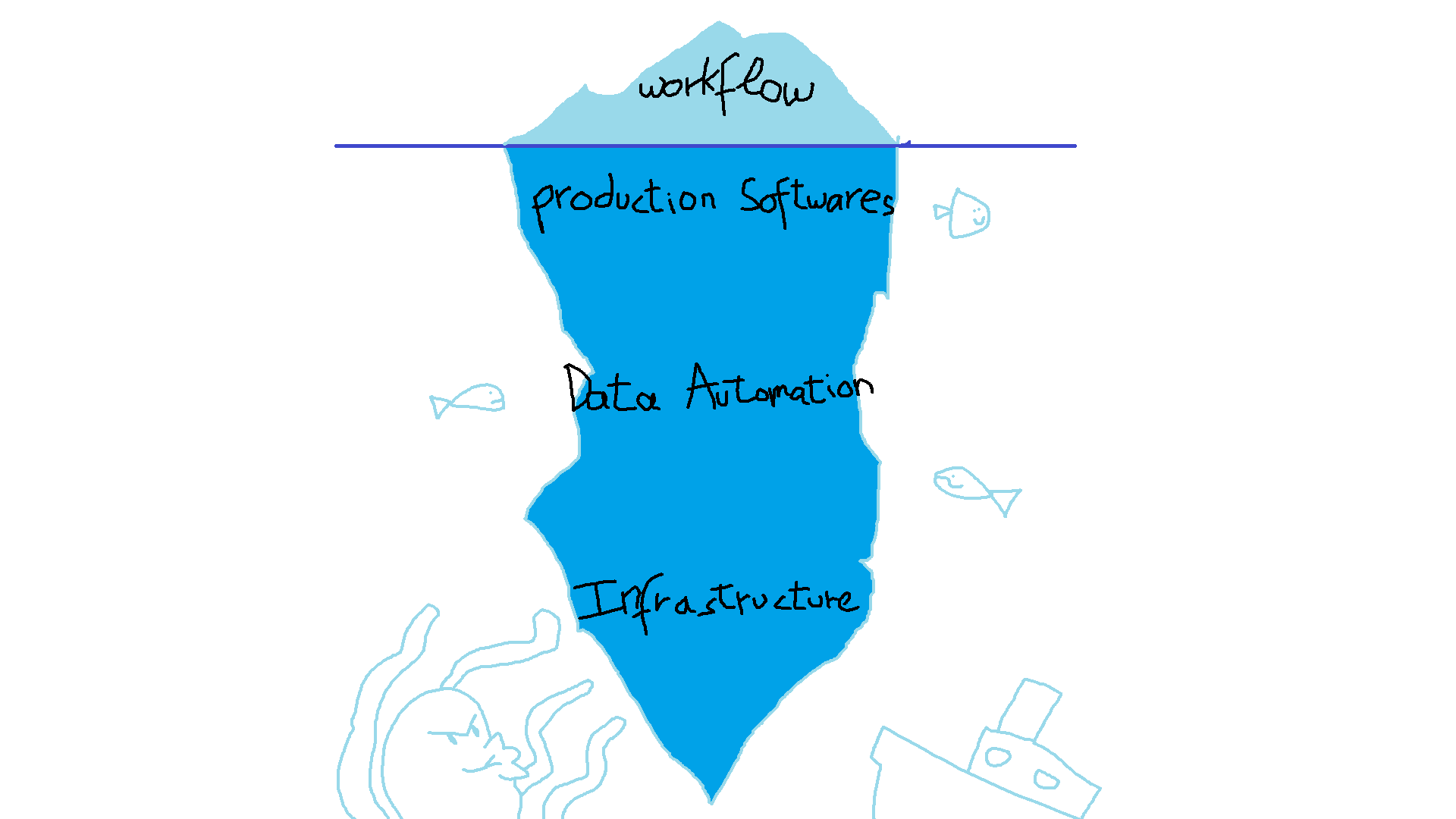
- Il existe quelque chose de **plus profond que le workflow**.
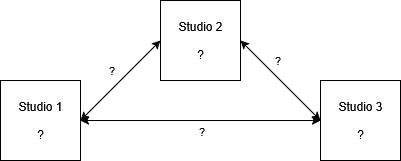
- Avec un **modèle de visualisation standard**, nous devrions pouvoir comparer les pipelines.
--
## Hypothèse
- Il existe quelque chose de **plus profond que le workflow**.
- Avec un **modèle de visualisation standard**, nous devrions pouvoir comparer les pipelines.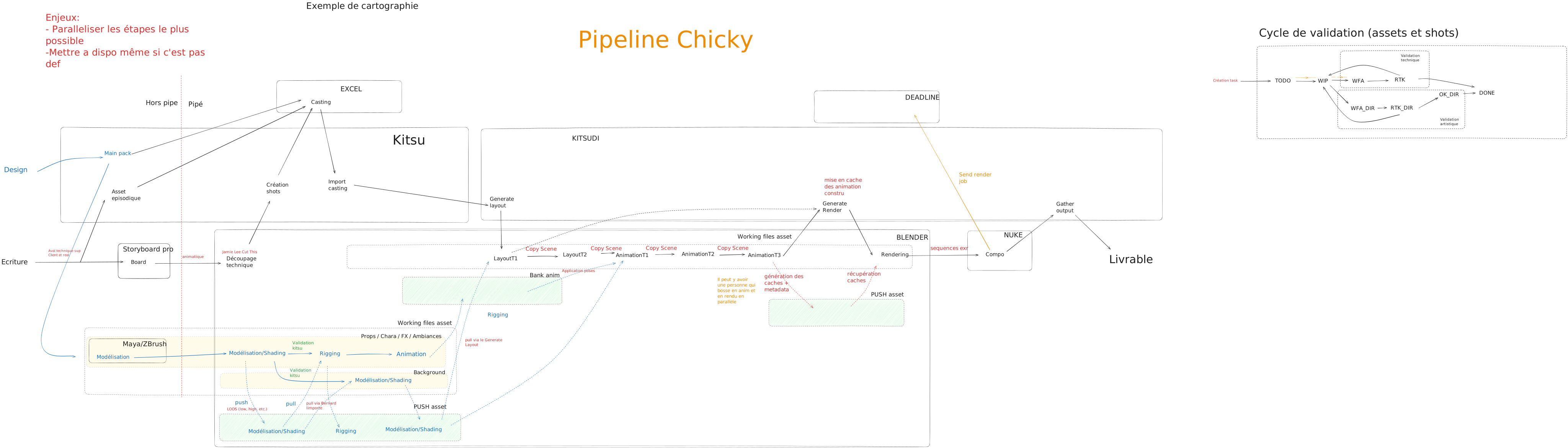

 pour comprendre COMMENT le pipeline est modélisé.





 More at https://www.cube-creative.com/

 More at https://normaal.fr/

 More at https://blog.autourdeminuit.com/